Monitoring for websites, servers, jobs and logs
Every outage sends a signal. We make it visible.
MetriBeacon checks your websites, servers, jobs and logs around the clock, alerts the right people and shows everyone the current status.


Start monitoring your website for free.
From signal to answer
Four steps from the first sign to the all-clear
Follow one incident and see how MetriBeacon carries it from detection to communication.
Detect
Checks from several locations notice slow responses and outages and record every result.
Websites & APIs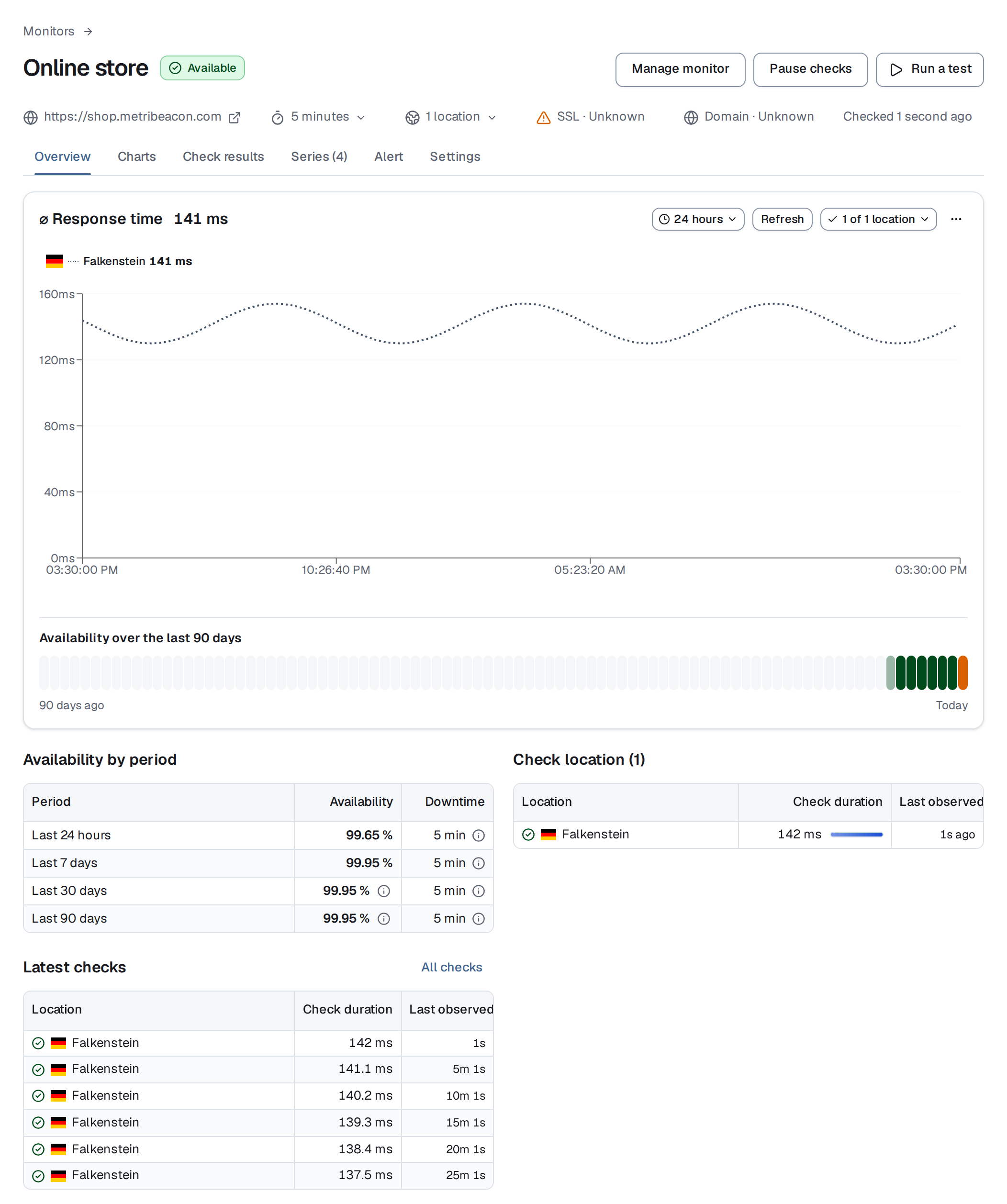
Alert
Rules turn thresholds, states and missing signals into alerts and send them to the channels your team already uses.
Alerting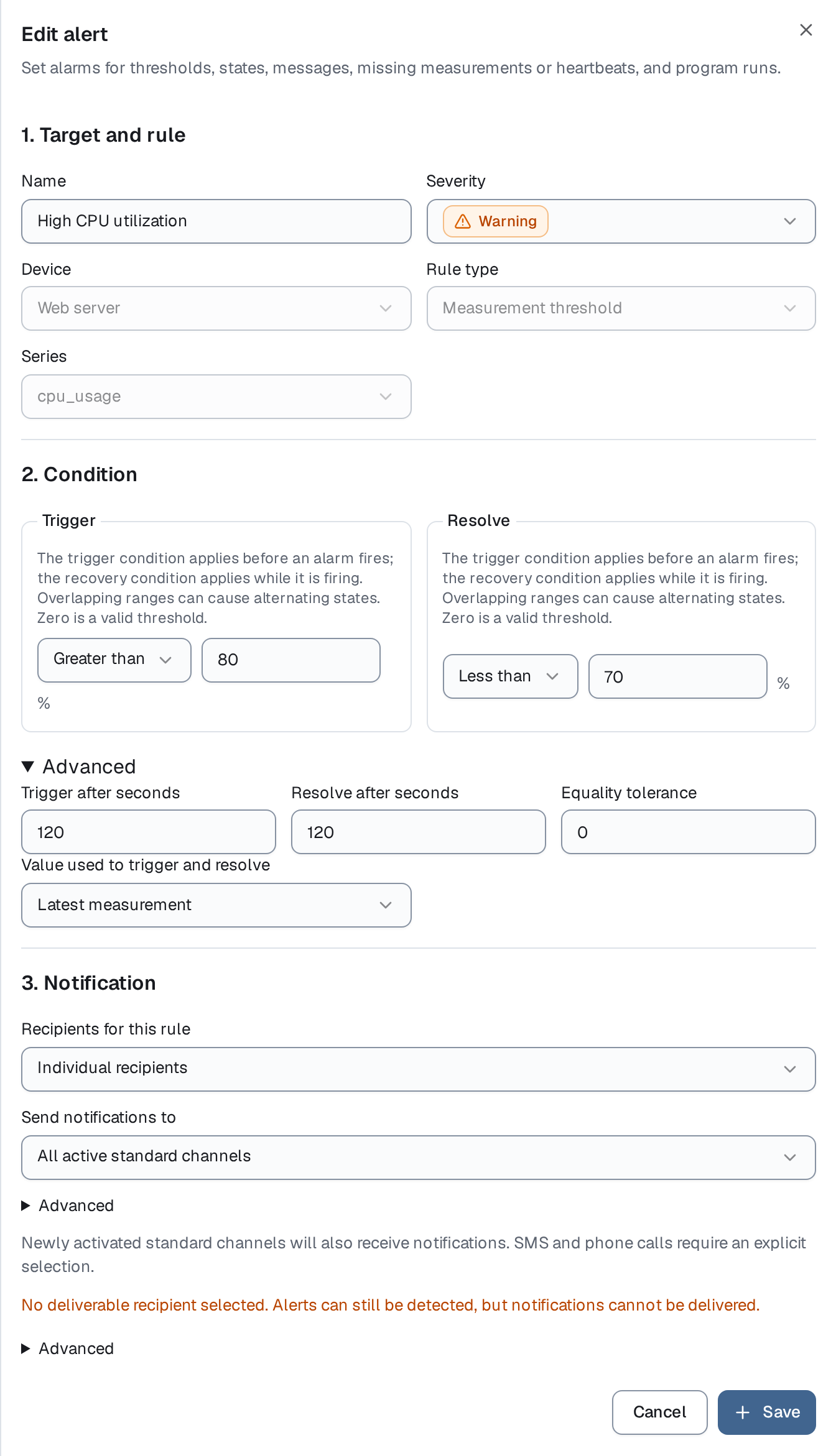
Understand
Logs, measurements and history sit side by side, so you find the cause instead of guessing.
Log management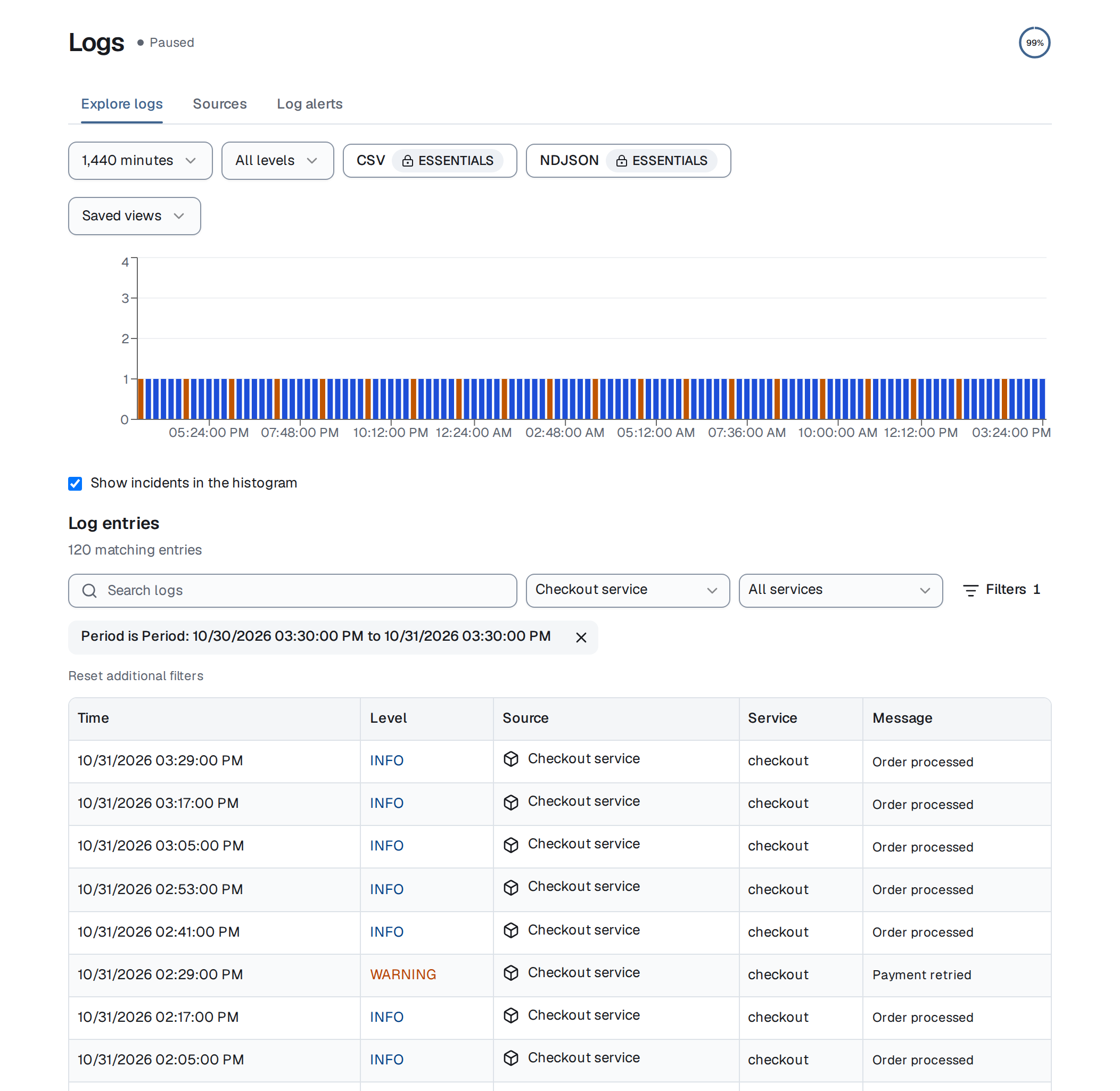
Communicate
A status page shows the components, incidents and maintenance you choose. Your monitor settings stay private.
Status pages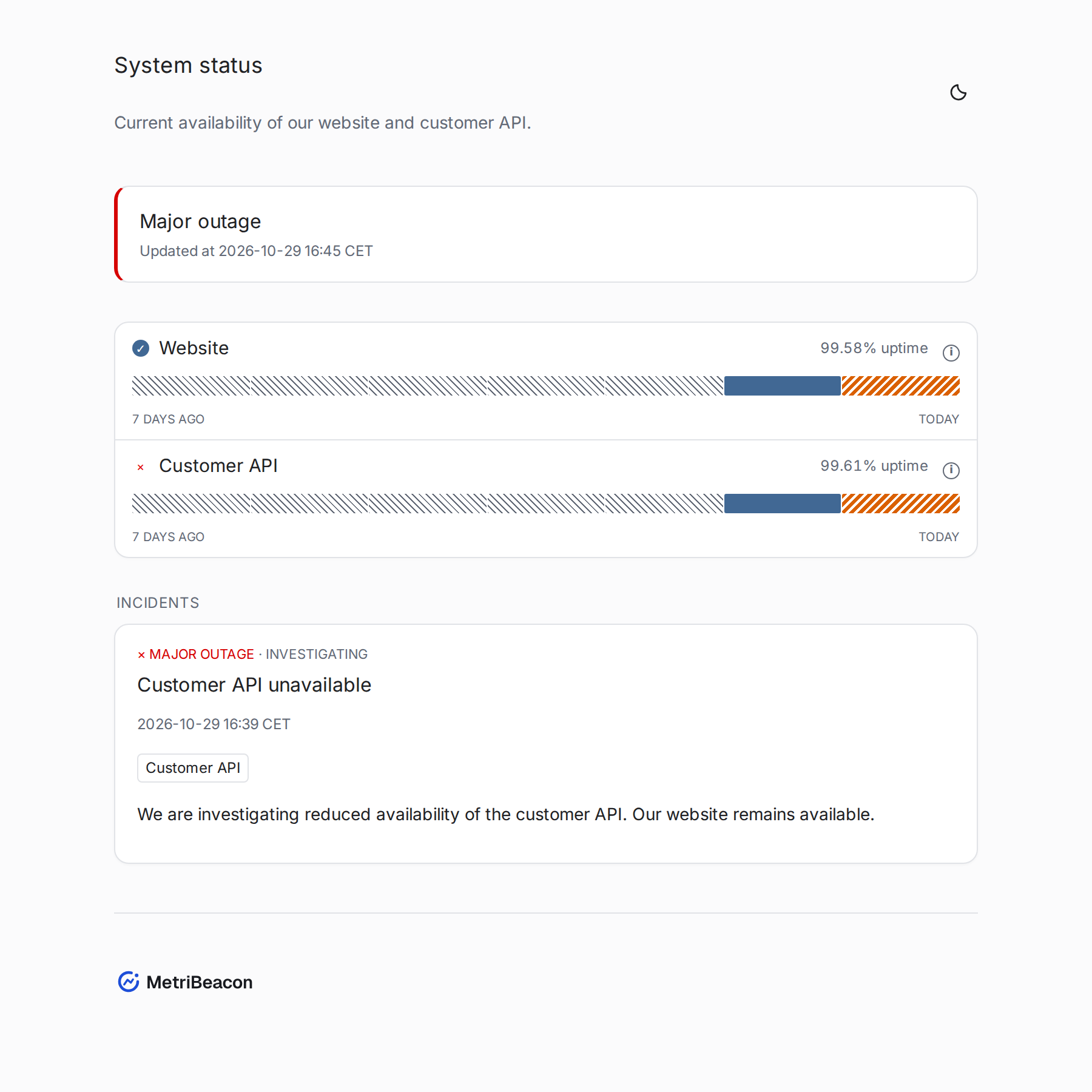


One platform
Everything that can fail, in one place
Choose the tools your service needs. They share alerts, dashboards and status pages.
Websites & APIs
Check status, response time and certificate of your websites and APIs.
Alerts and incidents
Get notified about problems and follow recovery.
Servers
See CPU, memory, disk and network readings from your servers.
Cronjobs & backups
Report each run and get an alert when a job fails or does not start.
Log management
Search logs, follow new entries live and get alerts on matching messages.
Dashboards and reports
Compare measurements, review availability and share results.
Status pages
Publish the state of selected monitors and approved updates.
Integrations
Fits the tools you already use
Send data with the collector, CLI or HTTPS API and receive alerts where your team works.











MetriBeacon in numbers
Get started
Three steps to your first result
Choose a source
Start with a website address, a server, a scheduled job or your own data.
Follow the setup
The setup guides you step by step to the first result.
Decide who is alerted
Set alert rules and notification destinations, and share a status page when you need one.
New personal accounts get 14 days of Essentials free, without payment details. SMS and phone features are excluded. Afterwards, Free limits and shorter retention apply automatically, with no automatic charge. Pricing
Before you start
Is registration free?
Do I need to install anything?
How will I hear about problems?
Switch on your beacon
Sign in, choose a source and follow the setup.